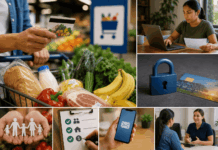
Learn how Lidl Plus works, how to use digital coupons, and how regular UK shoppers may save more on everyday groceries.
Lidl Plus can be useful for shoppers who want app-only discounts, digital receipts, scratch card rewards, and monthly savings without carrying a physical loyalty card.
Choose an Option:

Why Use Lidl Plus?
The app can make grocery shopping more rewarding.
- Weekly digital coupons
- App-only discounts
- Scratch card rewards
- Monthly spend bonuses
- Digital receipts
Prepare Before Shopping
A quick setup can help you avoid missed savings.
- Download the Lidl Plus app.
- Register with your mobile number.
- Activate available coupons.
- Scan your barcode at checkout.
- Track rewards in the app.
Get Started in 3 Steps
1. Create Your Account
Download the app, enter your details, confirm your mobile number, and access your digital rewards card.
2. Activate Offers
Check weekly coupons, monthly bonuses, and available rewards before your shopping trip.
3. Scan and Save
Scan your Lidl Plus barcode before paying so eligible discounts and rewards can be applied.
Make Every Shop Count
Lidl Plus works best when you use it consistently, plan around real offers, and avoid buying items you do not need just for a discount.
What You’ll Learn in the Full Guide
App Features
Explore digital coupons, app-only deals, scratch cards, monthly spend bonuses, brochures, and receipts.
Savings Potential
Understand how regular shoppers may save through weekly vouchers, rewards, and smart grocery planning.
Privacy and Limitations
Learn about data use, app requirements, store availability, offer rules, and possible technical issues.
Start Saving Smarter
Lidl Plus can help regular shoppers reduce grocery costs with simple digital rewards. Read the full guide before using the app so you can get more value from every visit.
Last updated on July 3rd, 2026 at 03:21 am