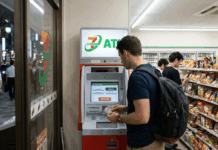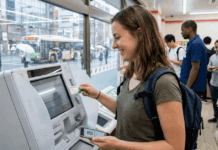
Managing utility payments and online purchases in Japan can feel confusing, especially if you are not fluent in Japanese. For many, 7-Eleven offers a quick and reliable solution.
This guide is ideal for residents, students, and travelers who want simple, accessible ways to settle bills and collect purchases without a Japanese bank account or credit card.


Why 7-Eleven Is a Popular Payment Hub in Japan
Almost every major city, from Tokyo to Sapporo, has a 7-Eleven within walking distance. Stores are open 24/7, making them reliable for late payments or urgent pickups.
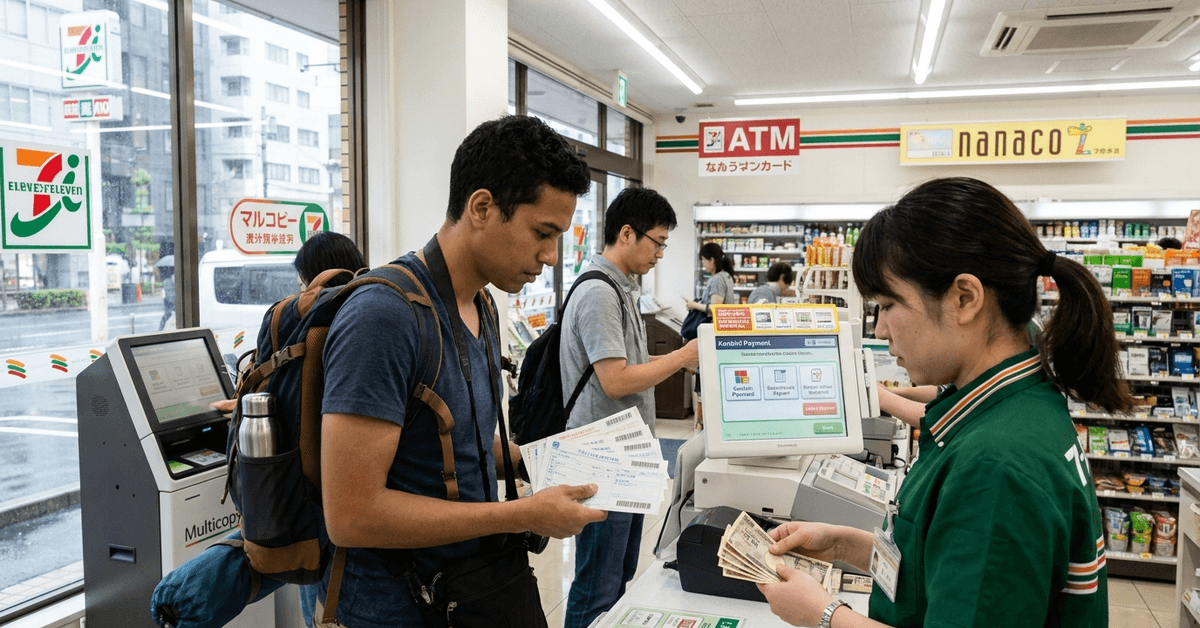
Most 7-Eleven stores feature multilingual payment terminals and helpful staff who can guide non-Japanese speakers through the process.
One standout reason: 7-Eleven accepts cash for many types of payments, making it highly practical, especially for those without Japanese bank accounts.
Types of Payments Accepted at 7-Eleven
At 7-Eleven convenience stores, a variety of payment types are supported, including both monthly bills and one-time online purchases.
Utility Bills
Many everyday household expenses in Japan can be paid through convenience-store payment services when the bill includes an eligible payment slip or barcode. This can be useful for people who prefer cash payments or do not use automatic bank transfers.
- Electricity (Tokyo Electric, Kansai Electric, etc.)
- Gas and water utilities
- Telephone and internet bills
- National Health Insurance premiums
Online Shopping Sites
Some Japanese online retailers allow customers to select konbini payment at checkout instead of paying immediately by card. The exact steps and availability depend on the merchant, order type, and payment provider.
- Amazon Japan
- Rakuten
- Yahoo! Shopping
- Mercari (when using Konbini payment option)
The Konbini payment option is featured on most major Japanese online shopping sites and is designed to facilitate hassle-free cash payments.
How to Pay Utility Bills at 7-Eleven
Most billers send paper bills with a barcode at the bottom. These can be paid easily at any 7-Eleven counter.
Step-by-Step Payment for Paper Bills
- Bring your paper utility bill to your nearest 7-Eleven counter.
- Hand the bill to the cashier and state, as clearly as possible, that you wish to pay.
- The cashier scans the barcode at the bottom of the bill.
- Check the amount displayed, then pay with cash or a supported payment card.
- The cashier gives you a stamped receipt after payment is complete.
The most critical part is presenting the correct bill with barcode. Without this barcode, the cashier cannot accept the payment.
Supported Payment Methods
Supported payment methods can vary by store, service, and transaction type, so checking the available options beforehand can help avoid payment issues.
- Cash (Japanese yen only)
- Prepaid cards (such as nanaco)
- Certain credit cards (only for specific companies—you may want to ask the cashier or check with your utility provider)
How to Pay for Online Purchases at 7-Eleven
Online retailers in Japan offer the Konbini payment method at checkout, allowing customers to pay in cash at convenience stores like 7-Eleven.
Step-by-Step Payment for Online Orders
- At check out on an eligible shopping site, select the Konbini payment option.
- Choose 7-Eleven as your preferred convenience store.
- Confirm the order. Afterward, you’ll receive a payment slip number or barcode, usually sent by email or shown on-screen.
- Bring this number to the 7-Eleven store. You can either print the email or write down the payment number, or use your smartphone to display it.
- Go to the Multicopy machine (often near the entrance) and select the “Bill Payment” option. Then input your payment number or scan the barcode.
- Take the slip printed by the machine to the cashier to complete payment in cash.
- Collect your official receipt and keep it as proof of payment.
For those using online payment services, timing matters. Most Konbini payment deadlines are within three days. Once expired, the order may be canceled automatically.
Major Apps and Tools Used
- Amazon Japan
- Rakuten
- Yahoo! Shopping
The largest platforms have dedicated English user guides, which can be helpful for first-timers. Some, such as Amazon Japan, include visual step-by-step instructions for the Konbini method.
Detailed Payment Experience in Tokyo, Osaka, and Sapporo
Payment experiences can differ slightly across major Japanese cities depending on store traffic, available machines, local services, and customer support options.
Tokyo
In Tokyo, you’ll find 7-Eleven stores in subway stations, near residential blocks, and close to universities. Payment machines are regularly updated for foreign card and language support.
Osaka
Osaka’s 7-Eleven stores are particularly crowded near Namba and Umeda. Staff are usually familiar with international visitors and can provide instructions in simple English or with gesture cues.
Sapporo
Sapporo’s 7-Eleven locations often cater to snow season visitors, so English screens on payment terminals are more common here. Even so, cash payments remain the fastest and least confusing route.
Tips for a Smooth Payment Experience
A few simple preparations can make payments faster and easier, helping reduce delays, failed transactions, and confusion at checkout.
Have Exact Change Ready
The fastest way is to bring small denominations whenever possible. Not every location makes change on large bills without some delay.
Check Payment Deadlines
Online Konbini payments come with strict expiry dates. Missing a deadline means the order gets canceled or delayed. Setting a reminder is a helpful precaution.
Use the nanaco Card for Rewards
The nanaco card is 7-Eleven’s own prepaid card. Besides convenience, some utility payments using this card may earn reward points. However, not every bill qualifies for points, so checking in advance is sensible.
Keep Your Receipts
For both utility and online purchases, the stamped receipt is your only official proof of payment. Keeping these on hand avoids issues if bills aren’t marked as paid immediately by the provider.
Avoid Peak Hours for Speed
Lunch hours and early evenings can see lines at 7-Eleven counters in cities. Early mornings or late nights tend to be less crowded and can speed up the process.
Legal and Safety Considerations
7-Eleven acts only as a payment agent. Disputes or delays in reflected payments are the responsibility of the provider or online shop, not the convenience store.
For lost utility bills or technical problems with the Multicopy machine, the best option is to consult the service provider’s official website. Alternatively, seeking help directly at the store can sometimes result in staff calling a support line for you.
Be wary of unfamiliar emails or suspicious payment requests. If something seems off, using only the payment slip provided directly by the service or shop is safest.
Conclusion
Paying bills and online purchases at 7-Eleven can be a convenient option for residents and visitors in Japan.
Checking payment deadlines, keeping receipts, and following the correct payment method can help prevent common issues. When problems occur, contacting the original biller or merchant is usually the most reliable next step.