
Credit card choices can feel almost endless today. The Apple Card combines digital management, rewards, and iPhone integration.
This guide explains eligibility, application steps, benefits, costs, and considerations. It also covers responsible use and alternatives.



What Is the Apple Card? Understanding the Basics
The Apple Card is a digital-first credit card built around Apple Wallet, with an optional physical titanium card. Its attractions include Daily Cash, no card fees, privacy features, and iPhone-based management.
Why Consider the Apple Card?
Apple’s design stands out, but the card also offers practical features. Daily Cash, Apple Pay, and spending tools can appeal to Apple ecosystem users.
Strong Security and Privacy
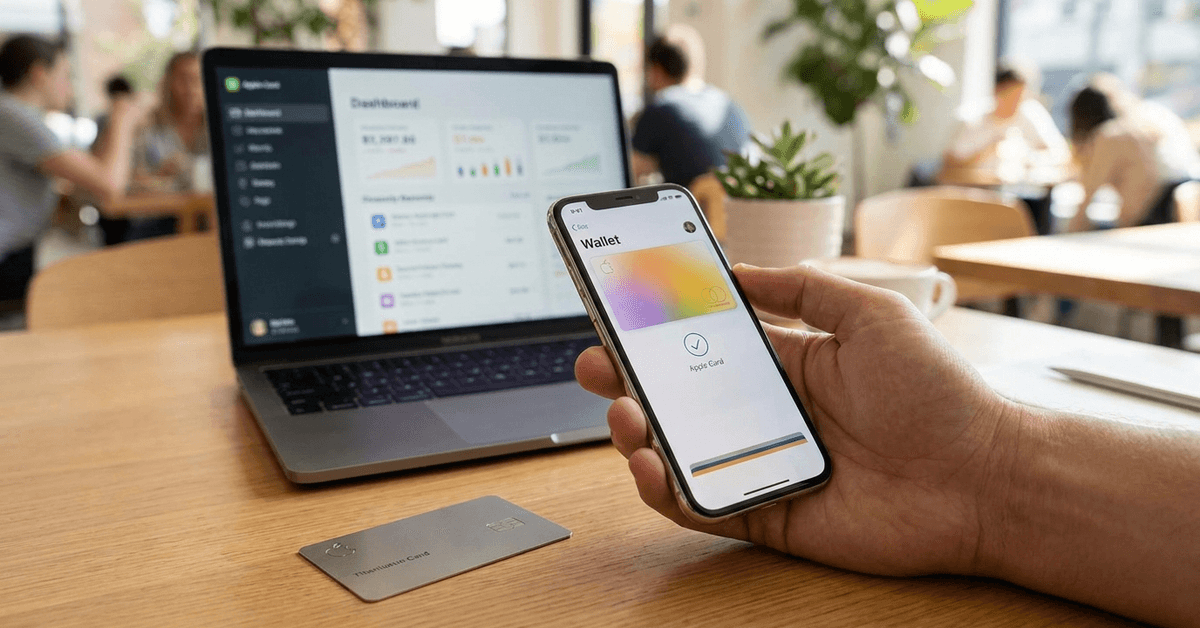
The Apple Card emphasizes security and privacy through Wallet and device authentication. The physical card does not display a traditional card number, and supported transactions may use Face ID or Touch ID. These features add account protection without replacing careful spending.
Daily Cashback Rewards
Apple Card provides Daily Cash on eligible purchases, depending on payment method and merchant.
Cardholders can earn 3% on eligible Apple and select partner purchases, 2% through Apple Pay, and 1% using the physical card. The reward structure is simple, though other cards may offer stronger category rewards.
No Fees Policy
Apple promotes the card without annual, late, over-limit, or foreign-transaction fees. Carrying an unpaid balance can still produce interest charges under the applicable APR. The no-fee structure does not eliminate interest costs.
Who Is Eligible to Apply for the Apple Card?
Apple Card applications are available to qualifying U.S. applicants meeting age, residency, identity, and device requirements. Applicants also need an Apple Account with two-factor authentication and an eligible device.
Credit Score Requirements
Goldman Sachs evaluates creditworthiness when reviewing an application. Apple does not publish a fixed minimum credit score guaranteeing approval. Income, debt, repayment history, and credit factors can influence the decision.
Compatible Devices
Applicants need a supported iPhone or iPad with compatible software for all Apple Card features. The card connects with Apple Wallet for payments and account management. Android users cannot access the same integrated experience.
How to Apply for the Apple Card: Step-by-Step Process
The application is completed digitally through Apple’s supported channels. Preparing identity and income details can make the application process smoother.
Setting Up Apple Wallet
Before applying, confirm your device software and Apple Wallet are current. Verify that your Apple Account uses two-factor authentication. These steps support identity verification and card access.

Starting the Application
The process begins by opening Wallet or using Apple Card through Apple’s official application option. Review the application terms before proceeding.
- Open Wallet and select the option to add a card.
- Choose Apple Card from the available card options.
- Review the terms, privacy information, and required disclosures.
Providing Personal Details
Applicants provide personal and financial information for verification and credit review. Details should match official records.
- Enter your full legal name, birthdate, residential address, and income.
- Provide required Social Security information and requested identity details.
- Check every field carefully before submitting the application.
Credit Check and Approval
Applicants can see whether they are approved and review an offer without an initial impact to their credit score.
If approved, the offer shows the credit limit and APR. Accepting it may then result in the credit inquiry associated with opening the account.
Receiving and Using the Card
After approval, the digital Apple Card becomes available in Wallet. Cardholders may request the titanium card through their account. Delivery varies, so follow Apple’s shipping information.
What Happens After Approval?
Approved users can manage spending, payments, rewards, and account details through Apple Wallet. The digital card works with Apple Pay where supported, while the physical card expands use at other Mastercard locations.
Managing Your Apple Card
Apple Wallet provides tools for tracking transactions and handling payments. These features can simplify monthly management.
- Review monthly statements and payment reminders on your device.
- Schedule automatic payments or make manual payments.
- Monitor Daily Cash and transaction activity regularly.
Customer Support Options
Apple Card support includes digital and phone assistance. Users can contact an Apple Card Specialist for application, transaction, or account help. Choosing a clear support channel can simplify resolution.
Considerations Before You Apply
No credit card fits every spending pattern. Apple Card users should compare interest costs, rewards, device requirements, and merchant acceptance with their financial habits.
Interest Rates and Limits
The APR and credit limit depend on the applicant’s profile and the offer presented. Paying balances in full can reduce the impact of interest rates. Carrying balances, however, can make borrowing costs significant over time.
Compatibility and Use Cases
The card works best for people regularly using Apple devices and Apple Pay. Other-platform users may find the device dependence restrictive. Rewards can also be lower when purchases do not qualify for higher Daily Cash rates.
Privacy Policies
Apple states that Apple Card includes privacy protections around financial information and account management. Cardholders should review privacy terms and understand data handling. Digital finance makes data awareness important.
Tips and Best Practices for a Successful Apple Card Experience
Responsible card management can help users earn rewards without unnecessary debt. These practices focus on payment discipline and regular account monitoring.
- Review the APR, credit limit, and terms before accepting an offer.
- Turn on transaction notifications to watch spending and detect suspicious purchases.
- Use budgeting tools if extra spending organization is helpful.
- Pay on time and, when possible, pay the full statement balance.
- Review Apple Card updates because rewards and eligibility details can change.
Alternatives to the Apple Card
Consumers wanting different rewards have credit card alternatives. Cards from Chase, Capital One, and Discover may offer travel rewards, welcome offers, or category benefits worth comparing.
Common Questions About the Apple Card
Applicants often ask about fees, credit reporting, availability, and denials. These basic questions can clarify whether the card matches individual needs.
- Is there an annual fee? No, Apple Card does not charge an annual fee.
- Can Apple Card build credit? Responsible use and reported payment history can contribute to a credit profile.
- Is international use supported? The card can be used internationally where accepted, but applications are limited to qualifying U.S. applicants.
- What happens after a denial? Applicants receive information about the decision and may sometimes receive guidance for future eligibility.
Conclusion
Apple Card combines digital management, Daily Cash, security features, and Apple Pay integration. Its value depends on device use, repayment habits, rewards preferences, and offered terms.
Applicants should review credit costs and eligibility carefully before accepting an account. Comparing alternatives can help determine whether Apple Card supports your financial priorities.
Last updated on September 23rd, 2026 at 02:32 pm