
Reliable communication connects households with employers, healthcare providers, and family. SNAP recipients may qualify for discounted phone service. Some carriers also offer free phones. This guide explains eligibility, applications, benefits, renewals, and alternatives.
Understanding Free Government Phone Programs
Lifeline makes essential connectivity affordable for qualifying households. The federal benefit primarily discounts monthly phone or internet service.



What Is the Lifeline Program?
Lifeline is a federal assistance program administered by USAC under Federal Communications Commission rules.
Eligible households receive phone or internet discounts, with enhanced Tribal support. Individual carriers determine plans and whether a free handset accompanies enrollment.
How Food Stamps (SNAP) Qualify as Eligibility
SNAP participation establishes program eligibility, subject to verification and household rules. Applicants may be verified automatically. Otherwise, an official benefits statement may replace income evidence.
Who Can Apply for a Free Phone with SNAP?
Eligible households receive one Lifeline benefit for phone or internet. SNAP qualifies applicants for discounts, not guaranteed handsets.
General Eligibility Criteria
Check these basic requirements before beginning the EBT free phone application process. Documents may be needed when records cannot confirm eligibility.
- Live in a participating United States location or territory.
- Qualify through SNAP, Medicaid, SSI, eligible housing assistance, income, or another approved pathway.
- Follow the one-discount-per-household rule, including existing internet discounts.
Understanding "Household" Rules
A household means people sharing income and expenses at the same address. Roommates managing their finances separately may count as distinct households. They may need a household worksheet to explain their arrangements when requesting separate benefits.
How to Apply for a Free Phone Using Food Stamps (SNAP)
People seeking to apply for free government phone offers should check Lifeline eligibility. Application, enrollment, and equipment are separate steps.
Step 1: Check if You Still Qualify
Verify that SNAP enrollment is active before applying. Expired benefits may prevent program-based qualification unless another eligibility pathway applies. Ask the state SNAP office about renewal or replacement documentation when necessary.
Step 2: Find a Participating Lifeline Provider
Use the official Lifeline company finder to locate approved providers by ZIP code. Assurance Wireless and SafeLink Wireless offer services in certain areas, with plans varying by location.
Q Link Wireless no longer accepts enrollments; avoid outdated lists, which still appear on many third-party sites online today.
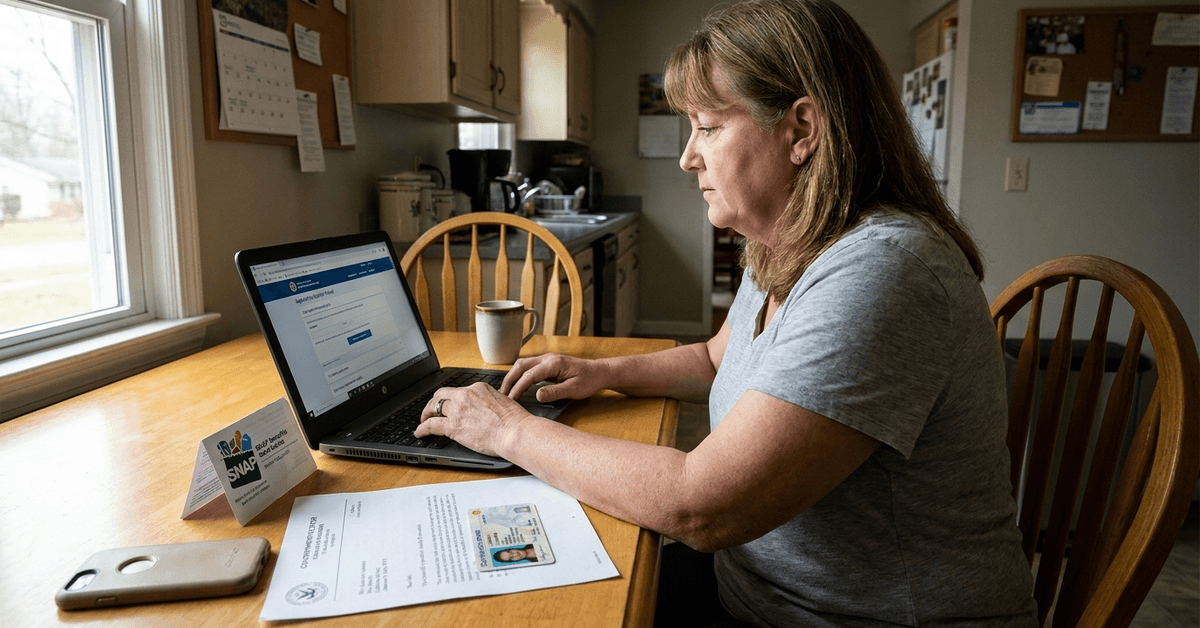
Step 3: Gather Your Documents
Benefit verification may require supporting records. An EBT card may not meet documentation requirements.
- Current SNAP award or participation letter showing the program and recipient.
- Government identification when identity verification is requested.
- Address evidence, such as an eligible lease, bill, or government document.
Step 4: Apply Directly with the Provider
Apply through the official website, an authorized provider, or the Lifeline application by mail. Some states have additional procedures. Keep your application number and watch for requests to correct information or submit documents.
Step 5: Complete National Verifier Steps
The National Verifier checks identity and eligibility. When the information does not match, applicants may need to upload documents or request assistance. Approval permits enrollment with a participating company but does not itself promise a smartphone.
Step 6: Receive and Activate Your Phone
After enrollment, the provider explains the service plan and any device offer. Some send a SIM or phone; others support existing devices. Follow activation instructions and verify included calls, texts, data, and charges before using extras.

Common Questions About SNAP and Free Phones
Offers vary because carrier policies and service areas differ. These answers explain what the federal program guarantees and what depends on the provider.
What’s Included with the Free Phone?
The Lifeline discount applies to qualifying monthly service rather than promising specific equipment. Participating plans may include voice minutes, messages, and mobile data. Check allowances, restrictions, and charges before subscribing.
Does the Offer Include Smartphones?
Some companies include basic smartphones with qualifying plans or limited promotions. Others offer discounted equipment or require an existing compatible device. Ask about replacement costs, warranty terms, shipping, and availability before assuming a phone is free.
Can Family Members Each Apply?
Generally, only one benefit is permitted per household. Adults sharing an address but maintaining separate income and expenses may qualify independently. Each must meet the rules and complete any required household verification.
Will Applying Affect My SNAP Benefits?
Receiving Lifeline assistance does not normally reduce SNAP food benefits. They are separate programs, with different purposes and funding. However, applicants must continue meeting each program's eligibility rules and report required changes.
Can the Phone Plan Be Upgraded?
Providers may sell additional data, upgraded devices, or optional paid plans. Costs and eligibility vary, and Lifeline may not cover upgraded services. Confirm how a change affects your discount before agreeing to extra charges.
Application Tips and Considerations
Careful preparation reduces avoidable delays during verification. Readers searching “Lifeline phone food stamps” should use these checks to avoid outdated offers.
- Use recent documents with consistent names and addresses.
- Monitor official email, text messages, and application notices.
- Ask the Lifeline Support Center or a trusted community organization for assistance.
- Avoid websites requesting unusual advance fees or sensitive information unrelated to verification.
Maintaining Your Free Lifeline Phone Service
Recipients must follow ongoing requirements after enrollment. Annual checks may happen automatically, but some households must respond to recertification notices or risk losing assistance.
Recertification Steps
Watch for official notices about confirming continued eligibility. If asked to recertify, follow the stated deadline and provide updated information.
- Review notifications from USAC, your state, or your provider.
- Submit requested records within the recertification period.
- Check the outcome through official support channels.
For free monthly service, regular usage matters too. Lifeline generally requires activity every 30 days to avoid disconnection after notice.
Moving, Address Changes, or Program Switches
Tell your provider about address changes or loss of eligibility within the required period. You may transfer Lifeline to another participating company while maintaining only one household benefit. Keeping SNAP and Lifeline records accurate helps avoid interruptions.
Other Programs for Affordable Connectivity
Households can explore local assistance programs and discounted plans alongside Lifeline. The Affordable Connectivity Program, or ACP, ended on June 1, 2024, and no longer accepts applications.
ACP Basics
ACP previously offered broadband discounts and limited device assistance to eligible households. Its funding ended, so advertisements claiming new ACP enrollment should be treated cautiously. Ask local libraries, community agencies, or internet providers about currently available low-cost options instead.
Conclusion
SNAP can establish Lifeline eligibility for qualifying households. A free phone depends on the participating carrier rather than an automatic government entitlement.
Check approved providers, prepare documents, and monitor renewal requirements carefully. Accurate information helps families maintain affordable, dependable communication without misleading promises.